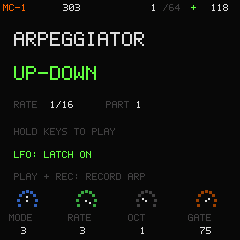
Six arpeggiator modes
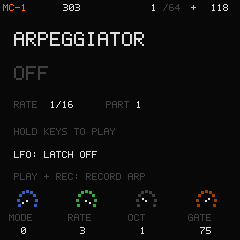
Up, Down, Up-Down, Order, Random and Chord. Set rate, octave range and gate, then latch the phrase. PLAY + REC writes the generated notes into the sequencer.
Open-source groovebox / Experimental 0.3.0
Four parts.
Your next groove.
Acid lines, recorded instruments and punchy drums. Build a pattern, play a chord, turn a knob. Keep the moment.
Original firmware for the M-VAVE FM-1.
Explore its shared C engine in your browser today.
01 / Sound palette
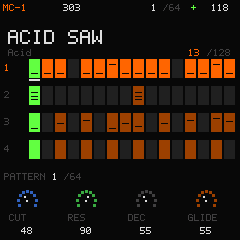
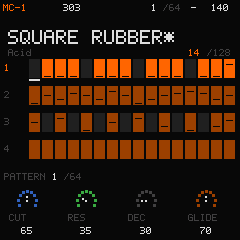
Three melodic parts combine LA-inspired synthesis, a 303-inspired engine and real instrument recordings. A fourth part brings 16 lanes of synthesized drums.
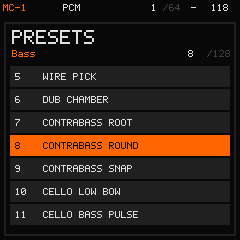
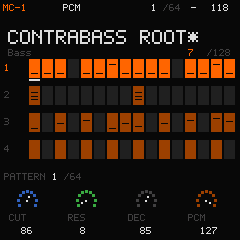
Piano, organ, mallets, harp, strings, woodwinds and brass sit alongside 64 original synthesis patches. Fourteen sound families keep all 128 presets easy to browse.
The recorded sounds use CC0 samples from VSCO 2 Community Edition. Their default mix is sample-only; lower PCM mix to blend in the oscillator.
Browse the complete sound list ↗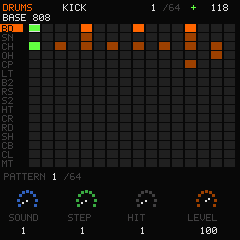
BASE 808 / CLUB 909 / TIGHT 606 / VINTAGE / HOUSE / BREAK JUNGLE / IRON WORKS / ELECTRO LATIN
Press play / Actual engine audio
A 32-bar journey through pattern changes, mutes and filter sweeps, with the original effects chain.
Rendered by the native host engine. This is an original MC-1 demo, not a recording from an FM-1 or Roland device.
02 / Shape the space
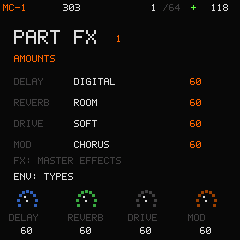
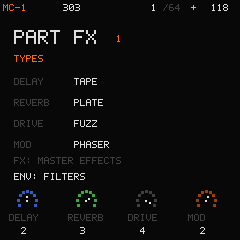
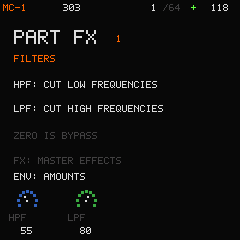
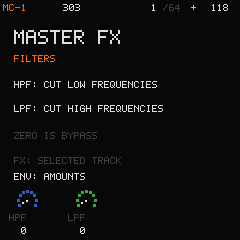
Independent delay, reverb, drive and modulation, plus high-pass and low-pass filters. Press FX to move between the selected track and master.
03 / Play it. Capture it.
Up, Down, Up-Down, Order, Random and Chord. Set rate, octave range and gate, then latch the phrase. PLAY + REC writes the generated notes into the sequencer.
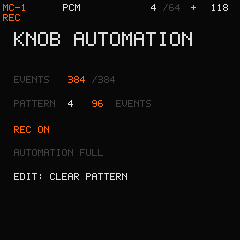
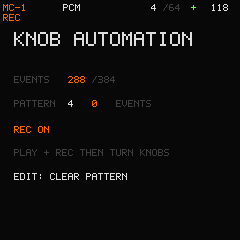
Turn a sound, level or FX knob during PLAY + REC to record its value at the current step. Refine an existing move or clear just the current pattern's automation.
04 / Stay in the groove
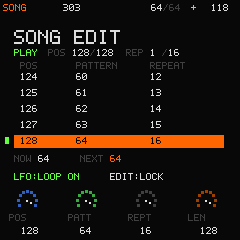
Orange shows the selection. Bright green follows playback. Slow turns stay precise; quick turns move through larger ranges faster.
Open source / Open the instrument
The web emulator runs the shared C engine and display. Try the sounds, build a pattern and save your project.
Play the web emulator ↗