Orbit
Four tracks. Hands-on sound.
ORBIT turns your FM-1 into a four-track groovebox. Layer synth parts and drums, shape the sound with four knobs, and build a performance from your patterns.
Install the latest release · Explore the guide
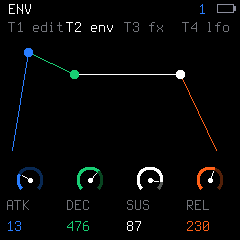
- Shape the sound
Engine, envelope, FX and LFO editing, with colour-coded knobs and saved user macros.
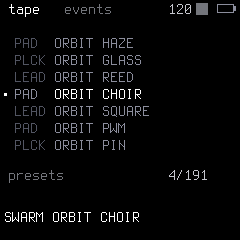
- Find your sound
Synthesis, sampling and granular textures, with an instant preset list and your own saved sounds.
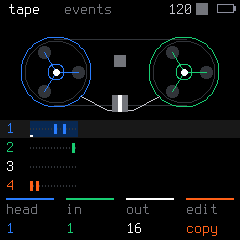
- Build a performance
Three synth tracks plus drums, parameter locks, Event Tape editing and live punch-in effects.
Install ORBIT
The latest release downloads and is checked automatically. Connect your FM-1, then press Install.
Use a Chromium-based desktop browser with Web MIDI (Chrome, Edge, Brave) and a USB data cable.
Latest firmware
The release checksum, device identity, update loader and file CRCs are checked before installation.
Loading the latest release…
- Source
- —
- Identity
- —
- Size
- —
- SHA-256
- —
Connect
Plug the FM-1 in with a USB data cable and close other apps that use its MIDI port. Connect asks the browser for MIDI access with SysEx, then reads the device identity. No firmware data is sent in this step.
- Device
- Not connected
Install
Install opens once the package is valid and the connected device matches it. The running firmware stages the update loader first, then the loader writes the whole image and the FM-1 restarts on its own. Success is reported only when the device comes back with the package identity.
Waiting for a package and a device.
During the write
- Keep the FM-1 connected and powered, and keep this page open until it reports the installed identity.
- The device restarts twice: into the update loader, then into the new firmware.
- If the connection drops, press Connect and then Install again: a device left in update mode resumes the write.
- If the FM-1 no longer starts, recovery needs FM-1-transporter; this page cannot recover every failure.